IT User Knowledge Base

Short how-to guides for everyday IT tasks on your work computer.

Getting started


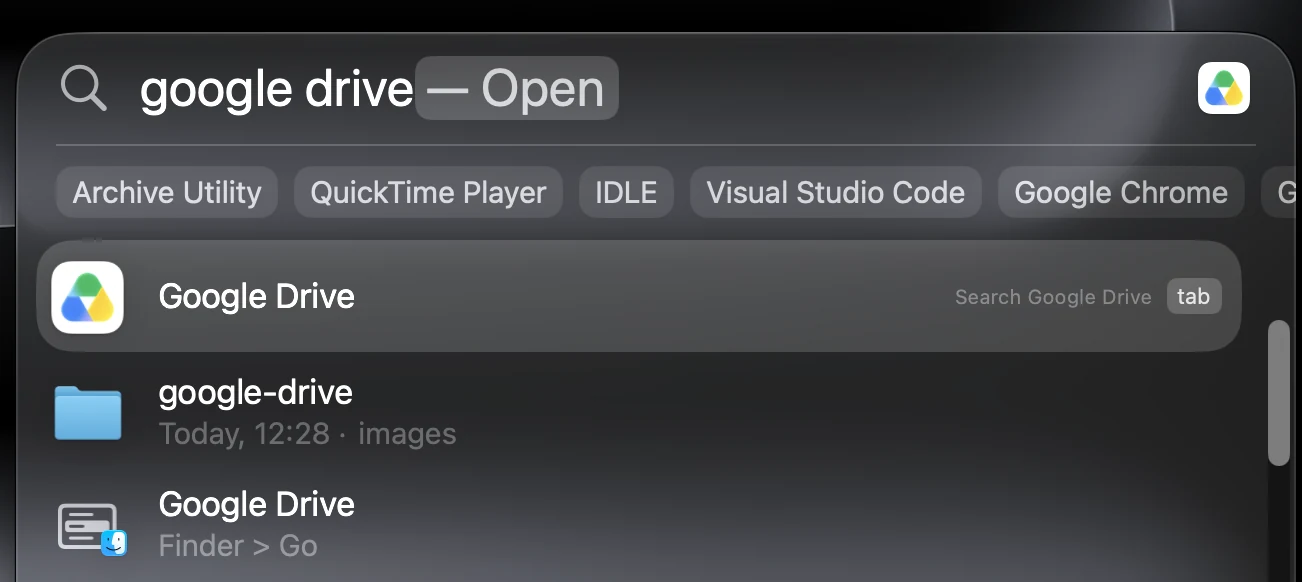
  1. Searching for Google Drive with Spotlight on a Mac
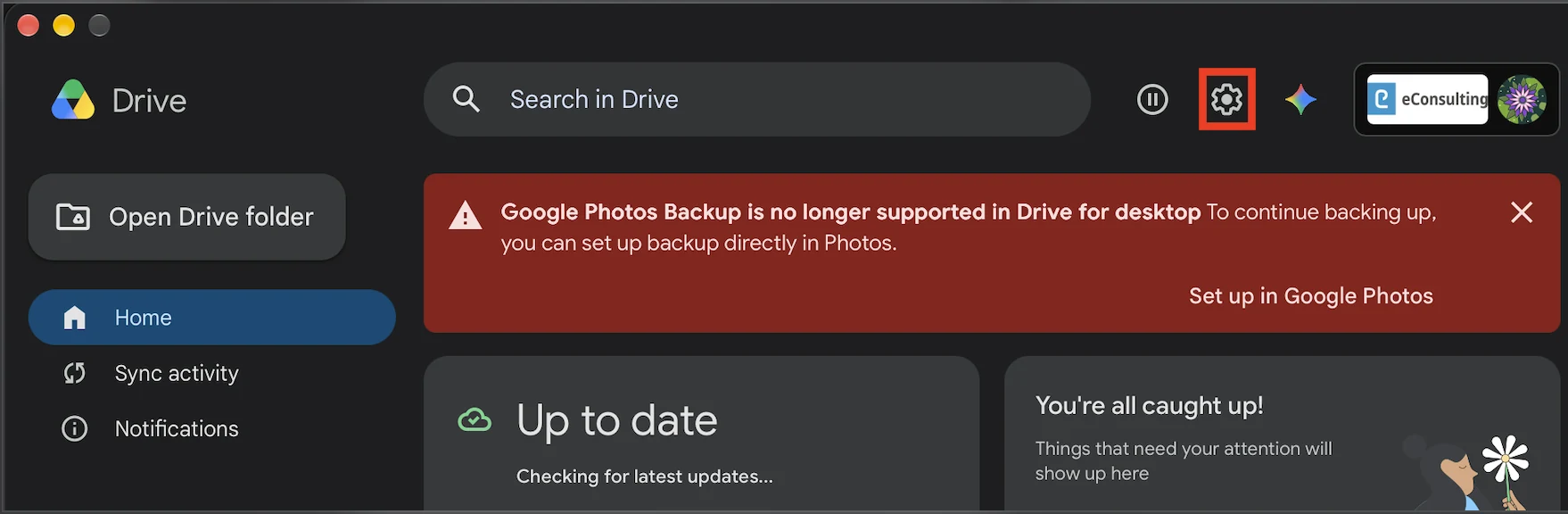
  2. The gear icon highlighted in the Google Drive window
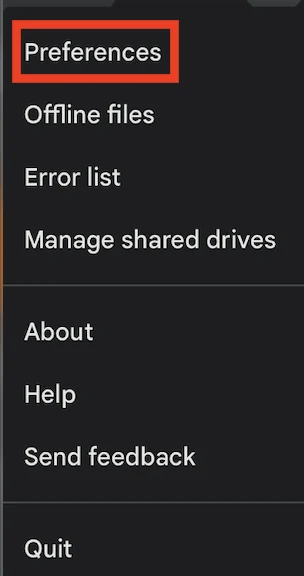
  3. Preferences highlighted in the Google Drive settings menu
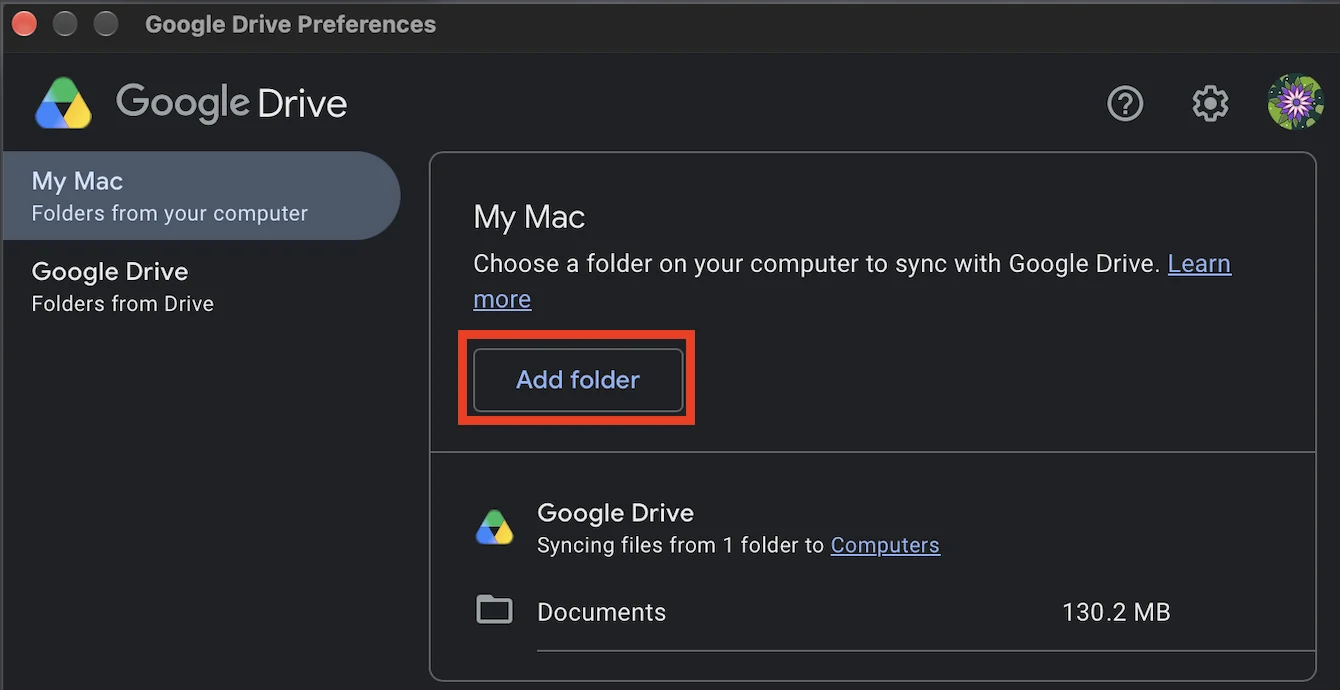
  4. The Add folder button highlighted in Google Drive Preferences

Apps and tools

ClickUp

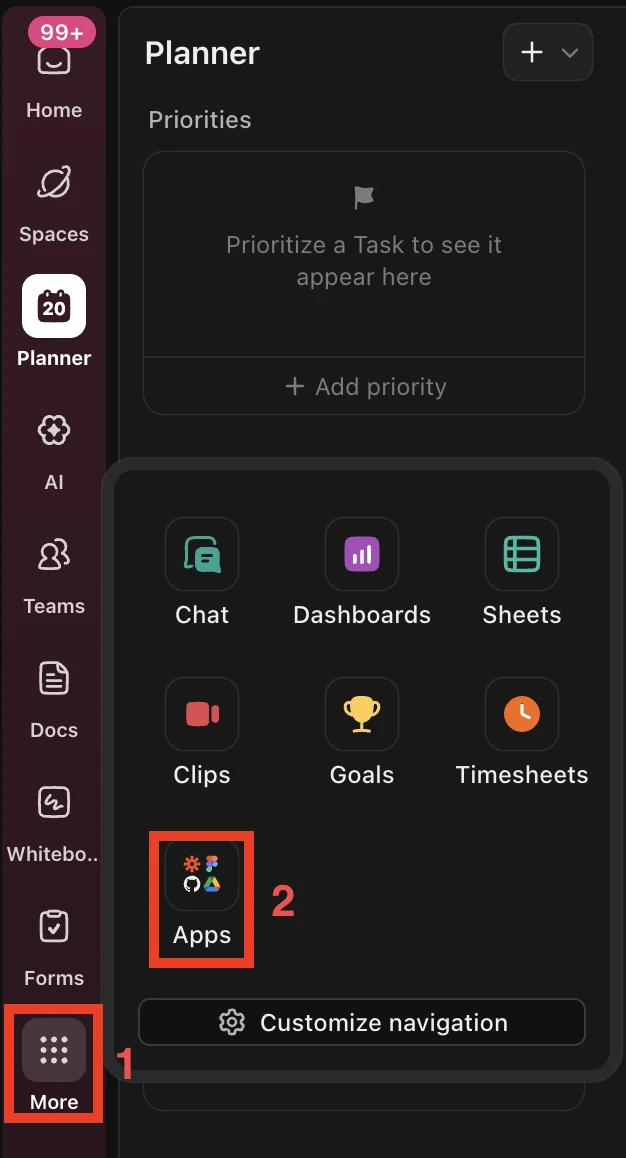
  1. The ClickUp side panel with More and then Apps highlighted
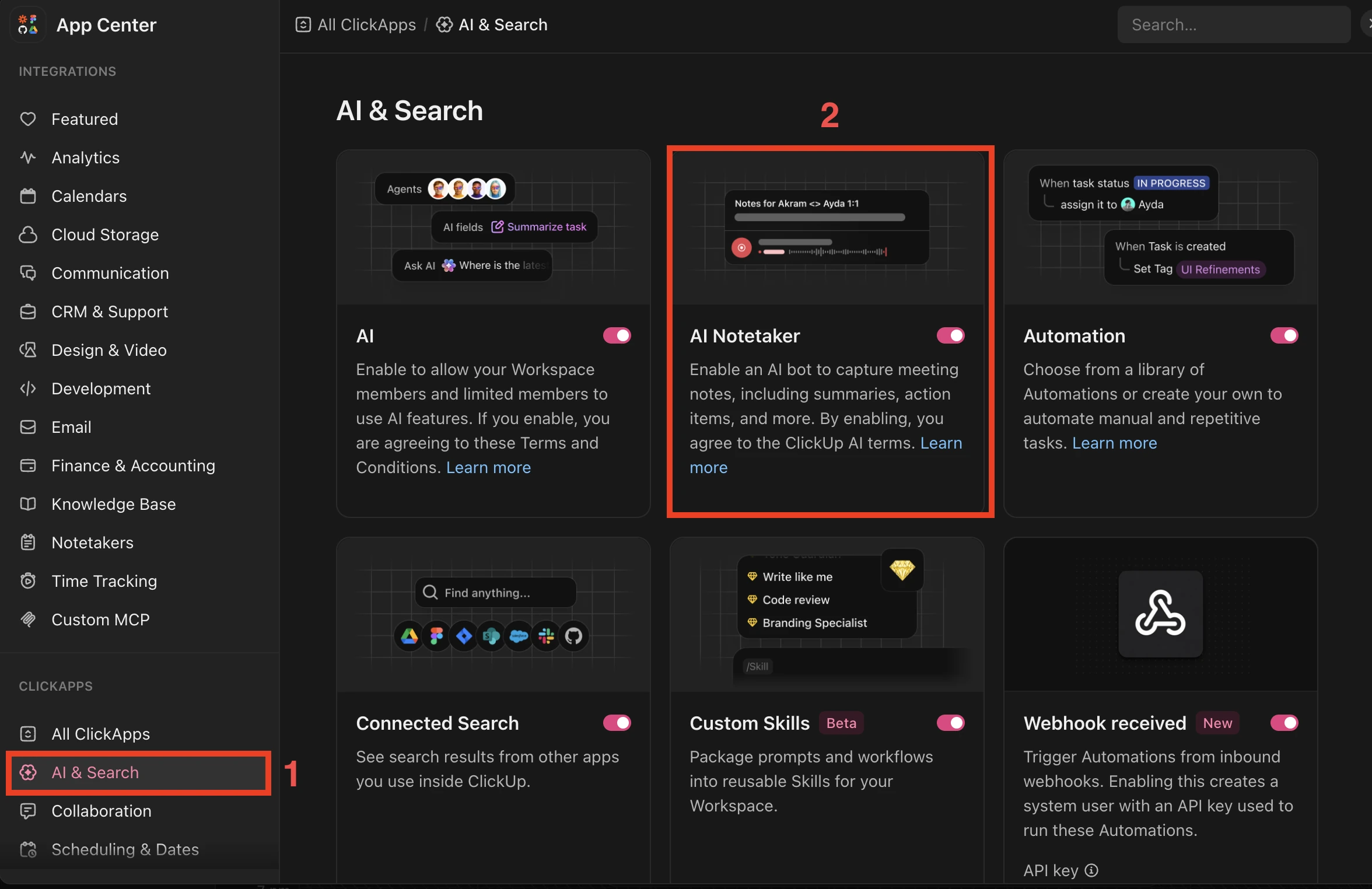
  2. The ClickUp App Center with AI & Search selected and AI Notetaker toggled on
  3. The Planner icon highlighted in the ClickUp side panel
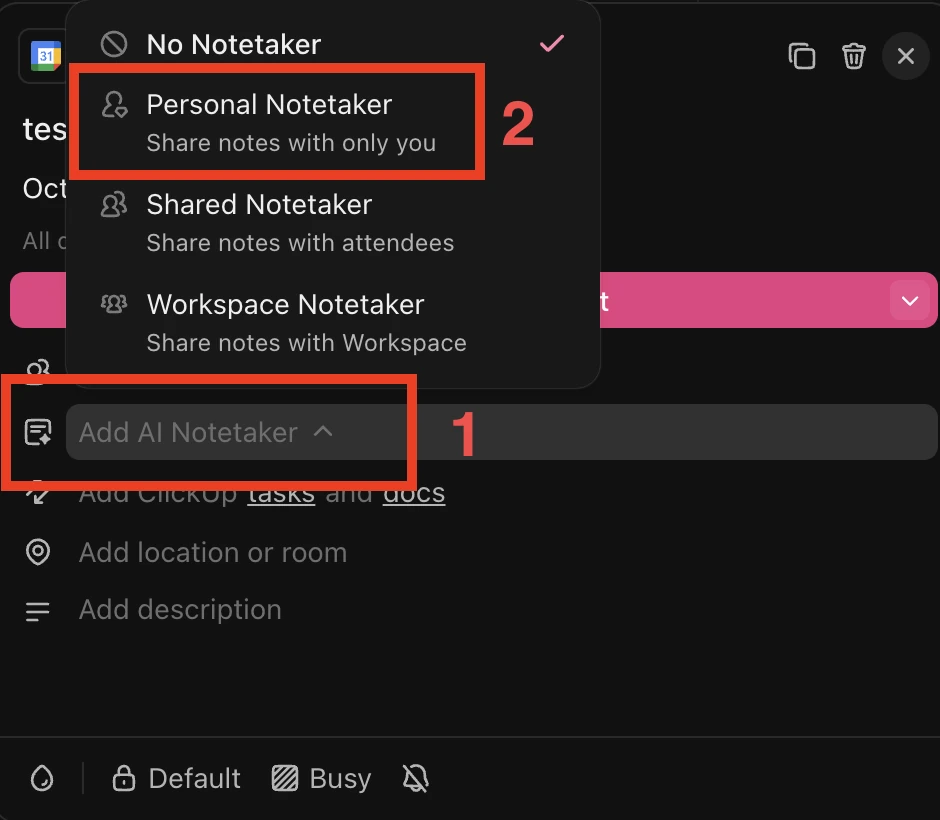
  4. A meeting in the ClickUp Planner with Add AI Notetaker and Personal Notetaker highlighted

.

Mac

Windows